Piano: Learn & Play Songs
FirehawkMusic & Audio
4.8411.00 Reviews
- Version
- 3.0.2
- Installs
- 10.00M
- Age Rating
- Everyone
Screenshots
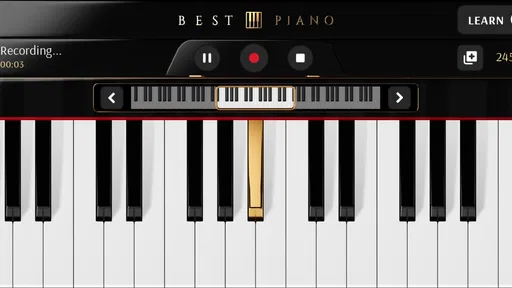
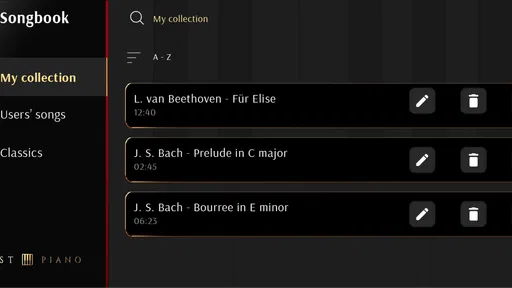
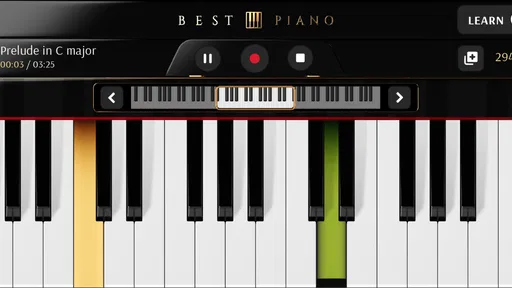
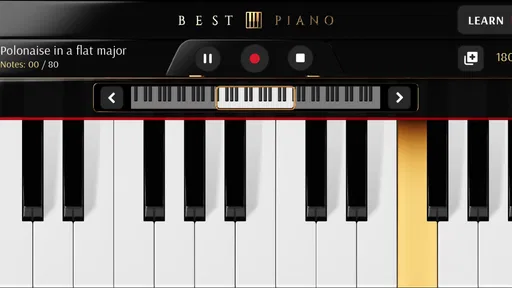
Our Review of Piano: Learn & Play Songs
 Analysis by Appyee
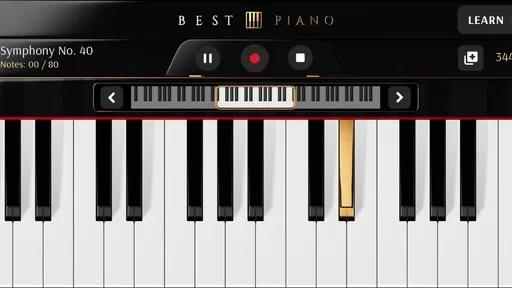
I spent time with Piano: Learn & Play Songs as a pocket instrument rather than treating it like a full replacement for a real keyboard. That distinction matters. The app is a free music and audio tool from Firehawk, built around playing piano on a touchscreen, and its appeal is immediate: open it, tap the keys, and start experimenting. I found it most enjoyable in short sessions, when I wanted to work out a melody, check an interval, or simply play without setting up a physical instrument.
Its strong public reception is easy to understand. Piano: Learn & Play Songs holds a 4.8 average from around 34 thousand ratings, and it has passed 10 million installs. Those figures suggest that it reaches far beyond serious piano students. In my view, it works best for curious beginners, casual players, and anyone who wants a convenient musical sketchpad on an Android device. It is less convincing for someone who needs weighted keys, detailed recording tools, or a complete substitute for lessons.
How the piano fits into real mobile use
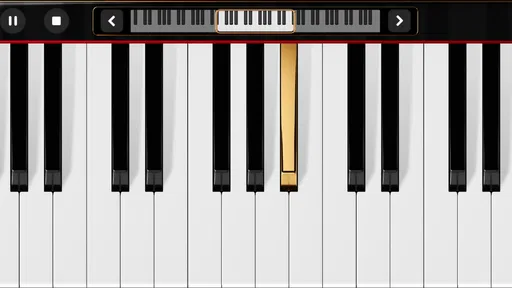
The first thing I noticed was how different a touchscreen piano feels from a physical one. A phone gives you portability, but not the same tactile feedback. You cannot feel the edge of each key in quite the same way, and your fingers have less room to land naturally. On a larger screen, the layout becomes easier to manage, while a smaller phone makes two-handed playing more restrictive. I would choose a tablet whenever I wanted to practice a passage for more than a few minutes.
That limitation does not make the app pointless. It changes the kind of playing it supports. I used it successfully for picking out simple tunes, checking whether a melody was moving upward or downward, and testing chord shapes before trying them on a real keyboard. It is also handy when an idea arrives away from home. If I hear a phrase in my head while waiting somewhere, tapping the notes into a virtual keyboard is quicker than trying to remember them later.
A realistic everyday scenario is a short commute or a quiet break between tasks. I might open the app, find the starting note of a melody, and play the phrase slowly enough to understand its shape. That is a useful musical habit even when the touchscreen is not ideal for performance. The app turns spare minutes into low-pressure practice, but I would not depend on it for a polished recital or precise finger training.
The store presents it simply as Piano, while the fuller product is Piano: Learn & Play Songs. That simplicity is part of its charm. I did not have to learn a complicated production environment before making a sound. For a child, an absolute beginner, or a returning player who has forgotten basic note positions, this low barrier is valuable. The Everyone content rating also makes it suitable for a broad household audience, although younger users may still benefit from an adult showing them how to hold the device comfortably.
What happens when the connection becomes part of the experience
Connectivity deserves more attention than it usually receives in a piano app. The actual act of tapping keys feels local and immediate, but modern app experiences can also involve loading screens, changing content, or other moments where a network may affect what appears. I therefore judge this app in two separate ways: how responsive the instrument feels once it is ready, and how predictable the surrounding experience is when the connection is weak.
When I was using it in a stable environment, the most important quality was not visual novelty but timing. A piano app has to respond quickly enough that a note feels connected to the tap. Any delay makes even a simple melody feel awkward. For that reason, I preferred short, deliberate phrases over fast passages. The touchscreen itself is already a compromise; an unreliable connection would make that compromise more noticeable.
I would not plan a lesson around the assumption that every connected part of the experience will behave identically in every location. If I were heading somewhere with uncertain reception, I would open the app beforehand and make sure the screen and tools I intended to use were ready. That is a practical precaution, not a claim that every part of the app works without a connection. It simply avoids discovering a loading problem at the moment inspiration arrives.
This is also where the app differs from a traditional keyboard. A physical piano does not need a network to produce a note, while a mobile app lives inside a more complicated environment of operating-system behavior, app updates, and possible content loading. The advantage is convenience: the instrument is already in my pocket. The trade-off is that the experience can feel less self-contained than a dedicated keyboard.
Small-screen technique and better mobile habits
I found that my playing improved when I stopped trying to imitate a full keyboard. On a phone, I focused on one-hand melodies, short chord checks, and small musical questions. For example, instead of attempting a wide arrangement, I would play the bass note first, then test the upper notes separately. This makes the limited screen width less frustrating and helps beginners listen to the relationship between notes.
Another useful approach is to rotate the device when the interface allows a more comfortable layout. I treated orientation as a practical choice rather than a cosmetic one. A wider view can give the fingers more space, while a narrow view encourages simpler exercises. I also kept the device steady instead of holding it loosely, because small movements make accurate tapping harder and can turn a relaxed session into a battle with accidental touches.
Headphones can make a difference in shared spaces, especially when repeating the same phrase. They let me concentrate without filling a room with every experiment. At the same time, I would avoid assuming that headphones solve every problem: they do not create the missing tactile feedback, and they cannot make a small display feel like a full keyboard. They are most helpful for privacy and focus, not for transforming the app into professional hardware.
For beginners, I recommend using the app as a listening tool before treating it as a speed test. Find a few notes, repeat them slowly, and pay attention to whether the phrase sounds settled or tense. This encourages musical awareness instead of rewarding frantic tapping. The app is particularly approachable for that kind of exploration because starting a sound is much easier than arranging a complete lesson plan.
Where it helps learners, and where it falls short
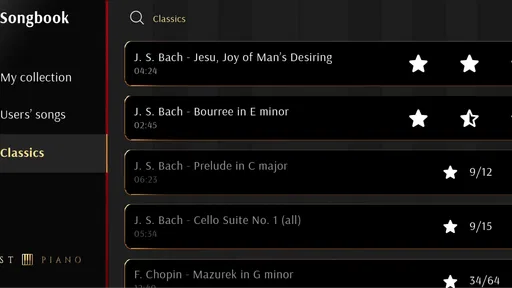
The phrase “learn and play songs” sets an expectation that the app should guide a user through recognizable music. My experience suggests that its strongest educational value comes from making the keyboard layout available at any moment. It can help someone become familiar with note order, melody direction, and the basic idea of playing a phrase. It is a useful first step for a person who is not ready to buy a keyboard or commit to regular classes.
However, I would not use it as my only method for developing technique. A touchscreen does not teach hand posture as well as an instructor, and it cannot reproduce the resistance or dynamic control of acoustic or electronic keys. If your goal is to build finger independence, read notation seriously, or prepare for formal performance, a physical keyboard and structured instruction are better choices. The app can support those goals, but it should not be mistaken for the entire path.
It also sits in an interesting middle ground compared with other mobile music tools. A basic piano simulator may offer a simpler, more direct instrument, but it can feel empty once the novelty fades. A full digital audio workstation may provide recording and arrangement depth, yet it often overwhelms a beginner who only wants to find a melody. Piano: Learn & Play Songs is more focused than a production suite and more inviting than a technical practice environment. That focus is its strength, though it also means advanced musicians may want another app alongside it.
I would skip it if you mainly want studio production, detailed sound design, or realistic performance control. I would also skip it if your phone is very small and you expect comfortable two-handed playing. In those cases, a larger instrument or a dedicated keyboard offers a better experience. On the other hand, if you want a free way to explore piano basics and carry a simple musical tool around, it makes a sensible starting point.
Recovering from interruptions and awkward sessions
Mobile use rarely happens in perfect conditions. A notification can interrupt a phrase, a call can pull attention away, or the app can be opened in a place where the connection is inconsistent. My practical advice is to treat each session as a small exercise rather than one long performance. That way, an interruption does not ruin a whole practice plan. I would decide on one task before opening the app: find a melody, test a chord, or repeat a short pattern.
If the experience does not respond as expected, I would first stop tapping and check the basics: whether the app is fully visible, whether another system action interrupted it, and whether the connection is behaving normally. Repeating taps during a delay can create extra notes once the interface catches up, so patience is more useful than pressing harder or faster. Closing and reopening the app is a reasonable recovery step when a session has clearly become unstable, but I would not build an important performance around any mobile instrument.
Keeping the app updated can also reduce avoidable friction. The current version is 3.0.2, and it requires Android 6.0 or later. That makes device compatibility worth checking before recommending it to someone with an older phone or tablet. A person who cannot install the current version may be better served by a physical keyboard or another compatible piano tool rather than spending time troubleshooting an unsuitable device.
There is another kind of recovery that matters to beginners: recovering from a wrong note. I liked using mistakes as prompts instead of immediately restarting. Play the phrase again, isolate the point where it sounds wrong, and test nearby notes. This turns the app into a small ear-training space. It is not a hidden professional feature; it is simply a better workflow than tapping randomly until something sounds familiar.
Using it without wasting mobile data
Because the instrument is used on a mobile device, I would be sensible about when I open it and what I expect it to load. If I were on a limited data plan, I would prepare in a reliable Wi-Fi environment, avoid repeatedly restarting the app while traveling, and keep sessions focused. This is especially useful when the goal is only to practice a short melody rather than browse around.
I would also avoid treating the free label as a promise that every optional element has no cost. The app is free to download and use, but in-app purchases range from $0.99 to $99.99 per item. That wide range makes it important to pause before confirming any purchase, particularly if a child is using the device. I would review the purchase controls on the phone and decide in advance whether optional spending is appropriate.
The pricing structure is not automatically a problem, but it changes how I recommend the app. For casual exploration, I would begin with the free experience and judge whether it genuinely fits my habits before considering anything extra. Someone looking for a completely unrestricted piano environment should examine each optional element carefully rather than assuming that the free starting point includes every possible part of the experience.
Data awareness also improves battery and attention management. A short session with a clear goal is more useful than leaving the app open while switching between other tasks. I preferred using it when I could concentrate for a few minutes, then closing it instead of treating it like background entertainment. That approach makes the app feel like a practical instrument rather than another source of endless screen time.
My verdict for different kinds of players
Firehawk has made a very approachable entry point for people who want piano access without carrying a keyboard. The app’s long presence on mobile, dating back to March 27, 2013, helps explain why it feels like an established option rather than a passing novelty. Its 10M+ installs and high average rating show broad appeal, but my recommendation depends more on what you expect from a touchscreen instrument.
I would recommend it to a beginner who wants to learn where notes sit, a casual musician who needs a quick melody scratchpad, or a parent looking for an accessible music app for a child. I would also recommend it to a keyboard player who sometimes needs to check a phrase away from home. In those situations, the convenience outweighs the loss of physical key feel.
I would be more cautious with advanced players. The app cannot give you the response of weighted keys, the expressive control of a good digital piano, or the complete workflow of recording software. Its dependence on a mobile device also means that screen size, interruptions, battery, and connectivity can influence the session. Those are not reasons to dismiss it; they are reasons to use it for the job it handles well.
My final view is that Piano: Learn & Play Songs is best understood as a convenient musical sketchpad, not a complete piano education system. I enjoyed it most when I used it for focused, realistic tasks: finding a tune, checking a chord, or making use of a few spare minutes. If that matches what you need, the free entry point makes it easy to try. Just keep expectations grounded, prepare for mobile interruptions, watch optional purchases, and choose a larger screen or real keyboard when precision becomes the priority.
Verdict
Strengths of Piano: Learn & Play Songs
- Interactive lessons make it easy for beginners to follow along.
- Song-based practice keeps learning engaging and motivating.
- Playback tools help users practice difficult sections repeatedly.
- Works well for short practice sessions on a phone or tablet.
- Suitable for learners with no previous piano experience.
Limitations of Piano: Learn & Play Songs
- Some lessons and songs may require a paid subscription.
- The virtual keyboard can feel cramped on smaller screens.
- Advanced players may find the exercises too basic.
- Regular practice can consume significant mobile data when streaming.
- Touch controls cannot fully replace the feel of a real piano.
Other Releases by Firehawk
View All
Transparent Wallpaper
Personalization4.5

Battery Charging Animation
Personalization4.6

Video Voice Editor + Effects
Music & Audio4.5

GPS Coordinates Locator Map
Maps & Navigation4.7
Similar Picks in This Category
View All
YouTube Music
Google LLC4.4

Samsung Music
Samsung Electronics Co., Ltd.3.8

Spotify: Music and Podcasts
Spotify AB4.3

JioSaavn - Music & Podcasts
Saavn Media Limited4.3

Lark Player:Music Player & MP3
Lark Player Studio - Music, MP3 & Video Player4.6

StarMaker: Sing Karaoke Songs
SKYWORK AI PTE. LTD.4.3
Frequently Asked Questions
What is Piano: Learn & Play Songs, and who is it suitable for?
Piano: Learn & Play Songs is an interactive piano-learning app designed to help users practice songs, notes, chords, and basic playing techniques on a mobile device. It is generally suitable for complete beginners, casual learners, and users with some previous experience. The guided lessons and song-based exercises make it approachable, although serious students may still need a real keyboard and professional instruction.
Can I use Piano: Learn & Play Songs without owning a physical piano?
Yes. The app provides a virtual piano interface that allows you to tap keys directly on your Android or iOS device, so you can begin practicing without purchasing an instrument. This is useful for learning note positions, melodies, and simple exercises. However, a phone or tablet cannot fully reproduce the feel, response, or sound range of an acoustic or electronic piano.
Does Piano: Learn & Play Songs include free lessons and songs?
The app typically offers access to introductory content, basic practice features, or a limited selection of songs at no cost, allowing new users to test the learning experience before subscribing. More advanced lessons, popular song libraries, exercises, or customization options may require in-app purchases or a premium plan. Check the current store listing for exact pricing and available free content.
Is Piano: Learn & Play Songs useful for complete beginners?
It can be a helpful starting point for beginners because the app breaks practice into manageable activities and presents musical concepts in a more accessible format than traditional sheet music alone. Users can develop familiarity with notes, timing, and simple melodies through repeated practice. Progress will depend on consistency, and learners should not expect the app alone to replace structured musical guidance.
Does the app require an internet connection or create privacy concerns?
Some basic piano functions may work offline, but song catalogs, account features, advertisements, progress synchronization, subscriptions, and new lesson content may require an internet connection. Before installing, review the permissions and privacy information shown on the Google Play Store or Apple App Store. Also check whether the app collects usage data, requires an account, or offers recurring subscription billing.
